Overview
Overview
Shoof (شوف, Gulf Arabic for "look!") lets you show your PC screen to someone who helps you. You share your entire screen or just one window, and your helper watches it live on their phone. They can point with a laser, draw and add text labels on top of your screen, and the two of you can chat. That is all a helper can do: Shoof contains no remote-control code, so nobody can use your mouse or keyboard, open your files or see anything you don't share.
Shoof for Windows is free. The phone app is free on the same network, and Shoof Pro also connects over the internet.
How it works
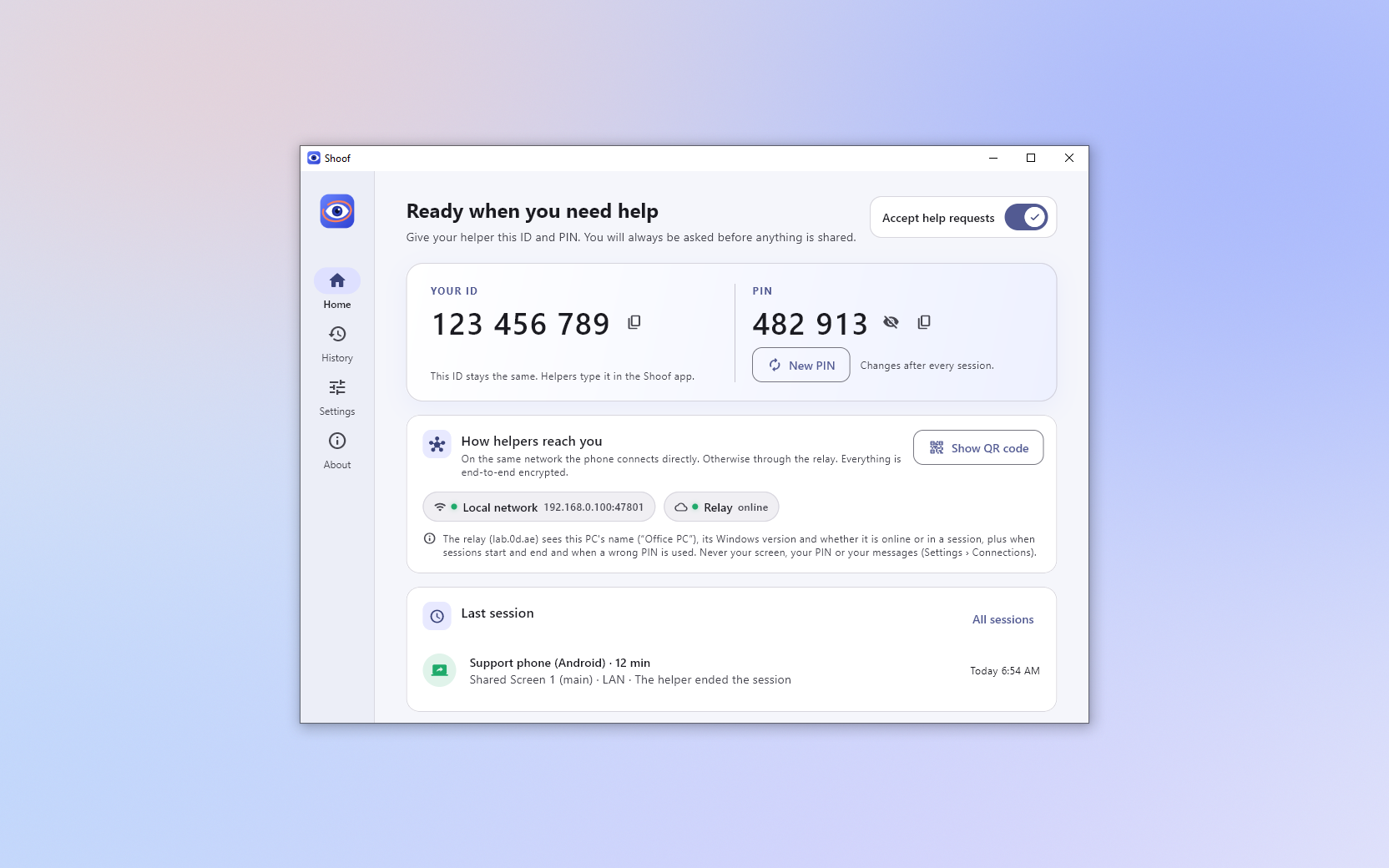
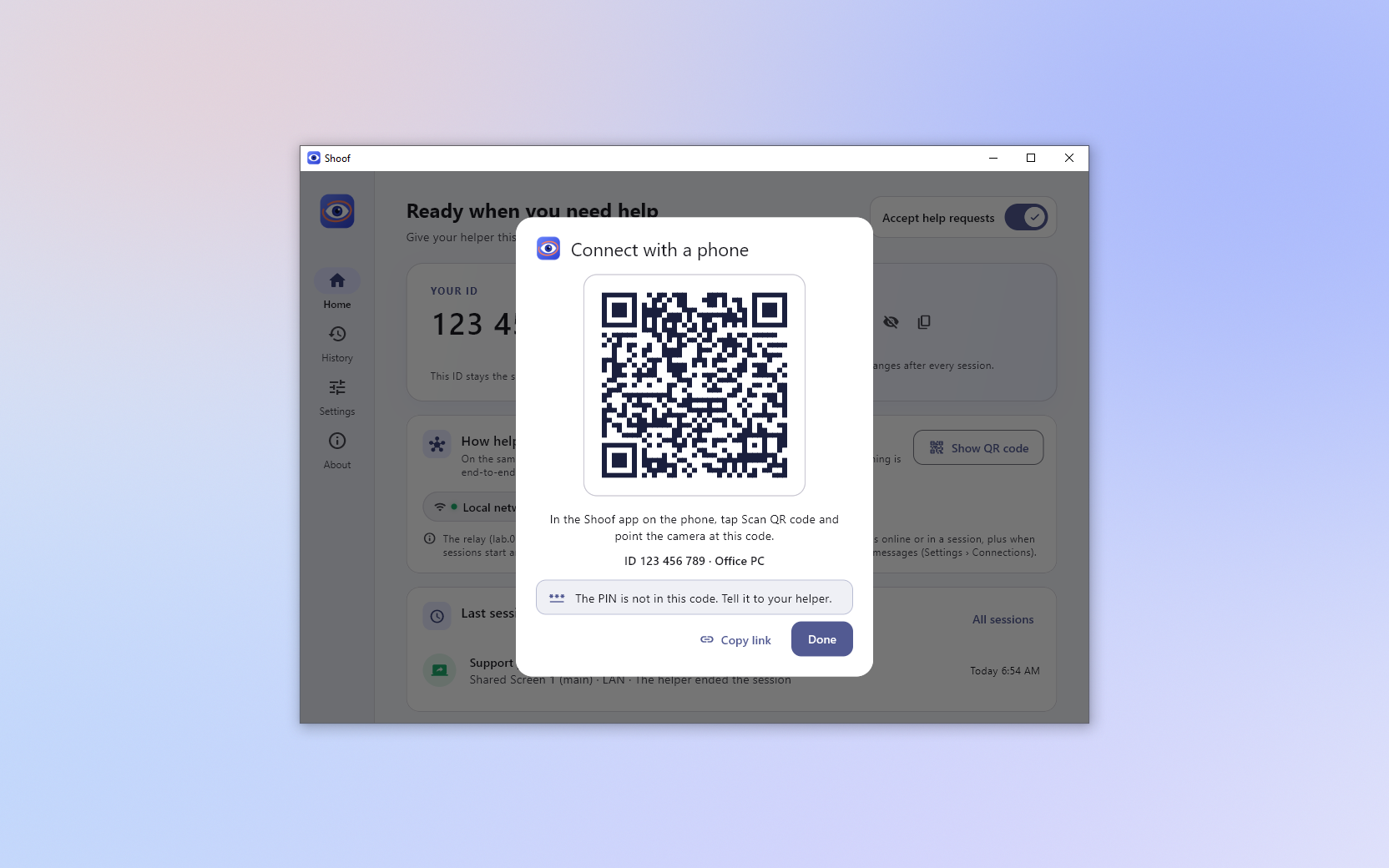
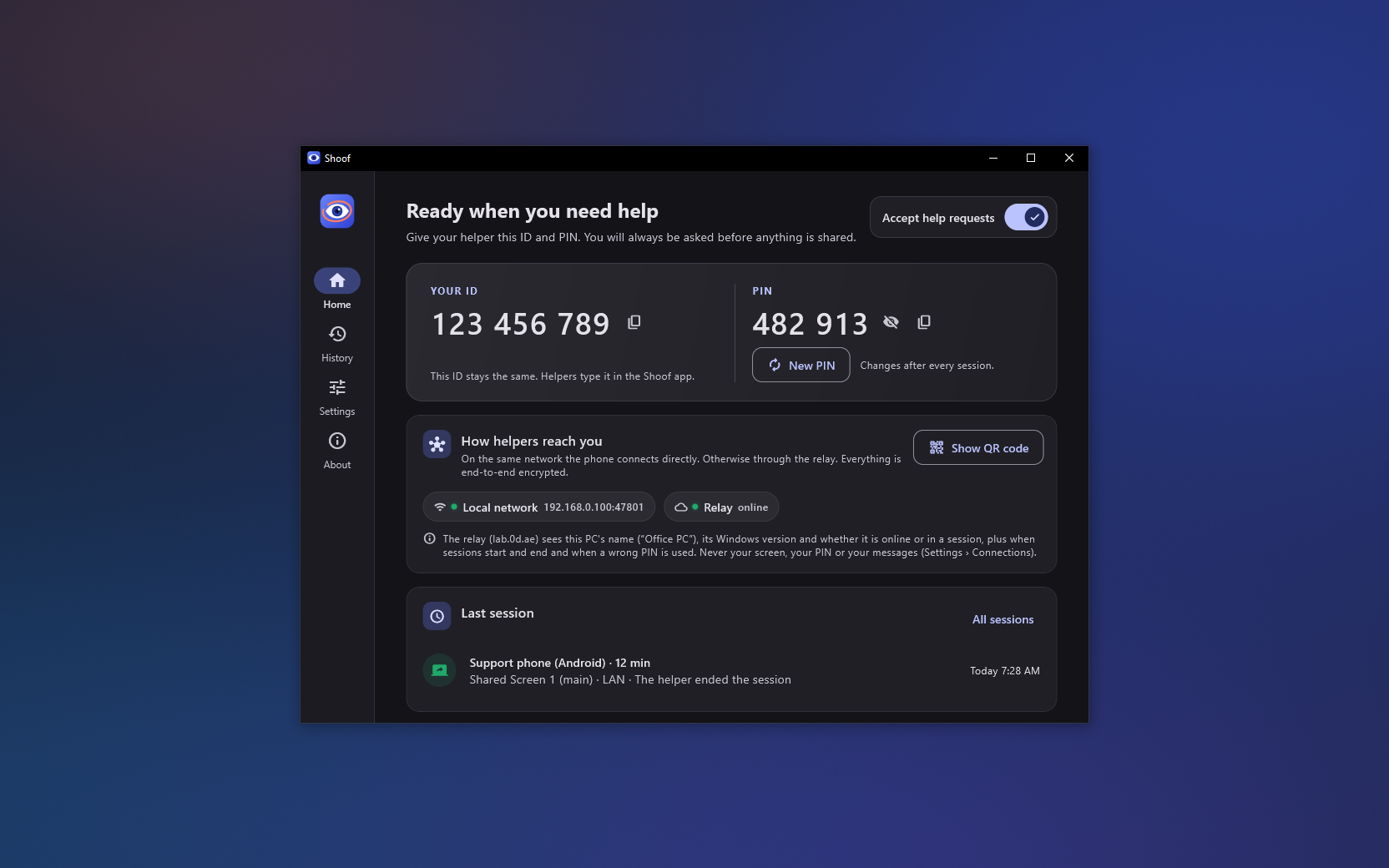
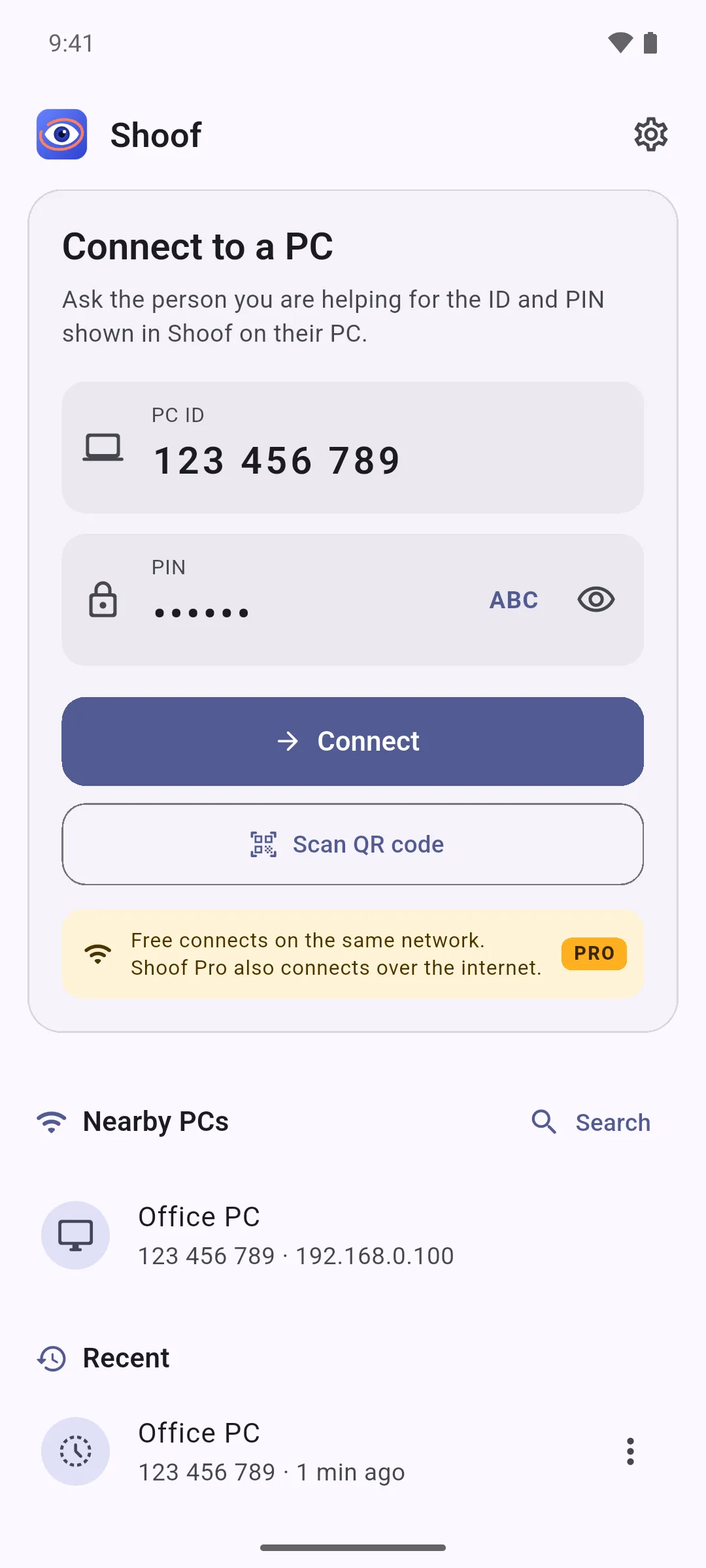
- Connect. Shoof for Windows shows an ID and a PIN, and you tell both to your helper. They enter them in the phone app. Instead of typing the ID, they can scan the QR code your PC shows, or pick your PC from the nearby PCs on the same Wi-Fi.
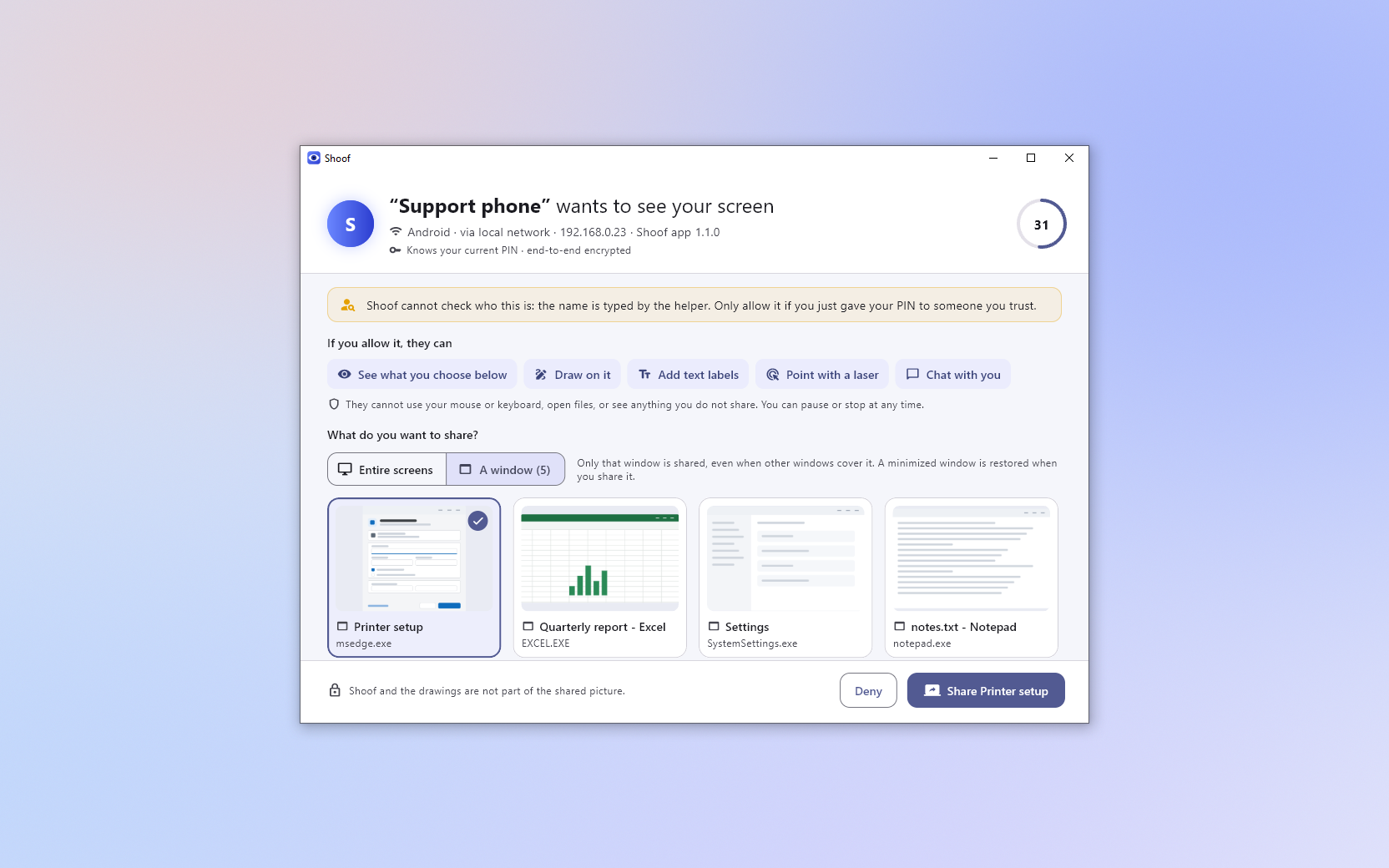
- Allow. Shoof asks you first. You see the name your helper typed (Shoof can't verify it), choose the entire screen or one window, and click Share, or Deny. Nothing is shared before that, and a request nobody answers is declined after 60 seconds.
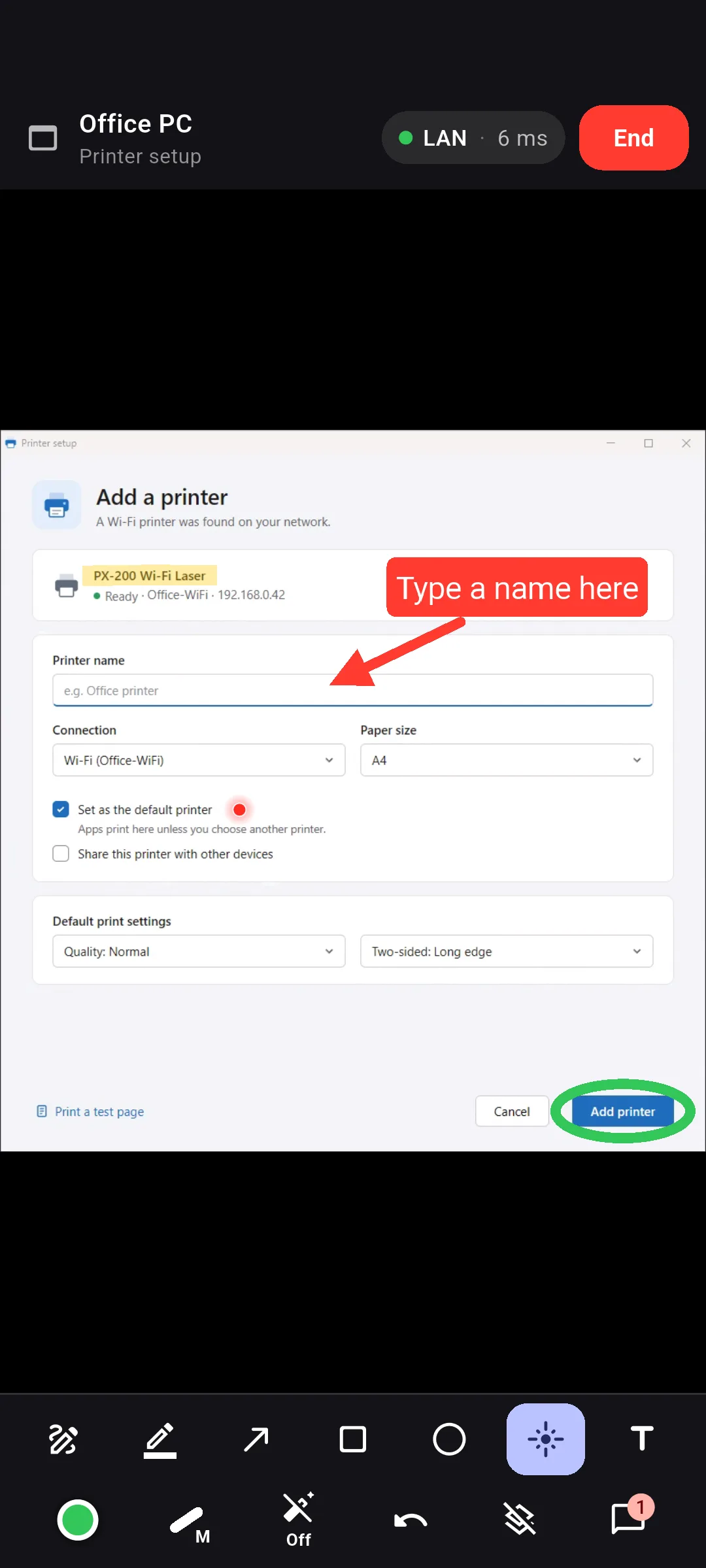
- Guide. Your helper sees your screen live, zooms in and draws on it. The drawings appear on your PC on top of your apps, and your mouse and keyboard keep working through them.
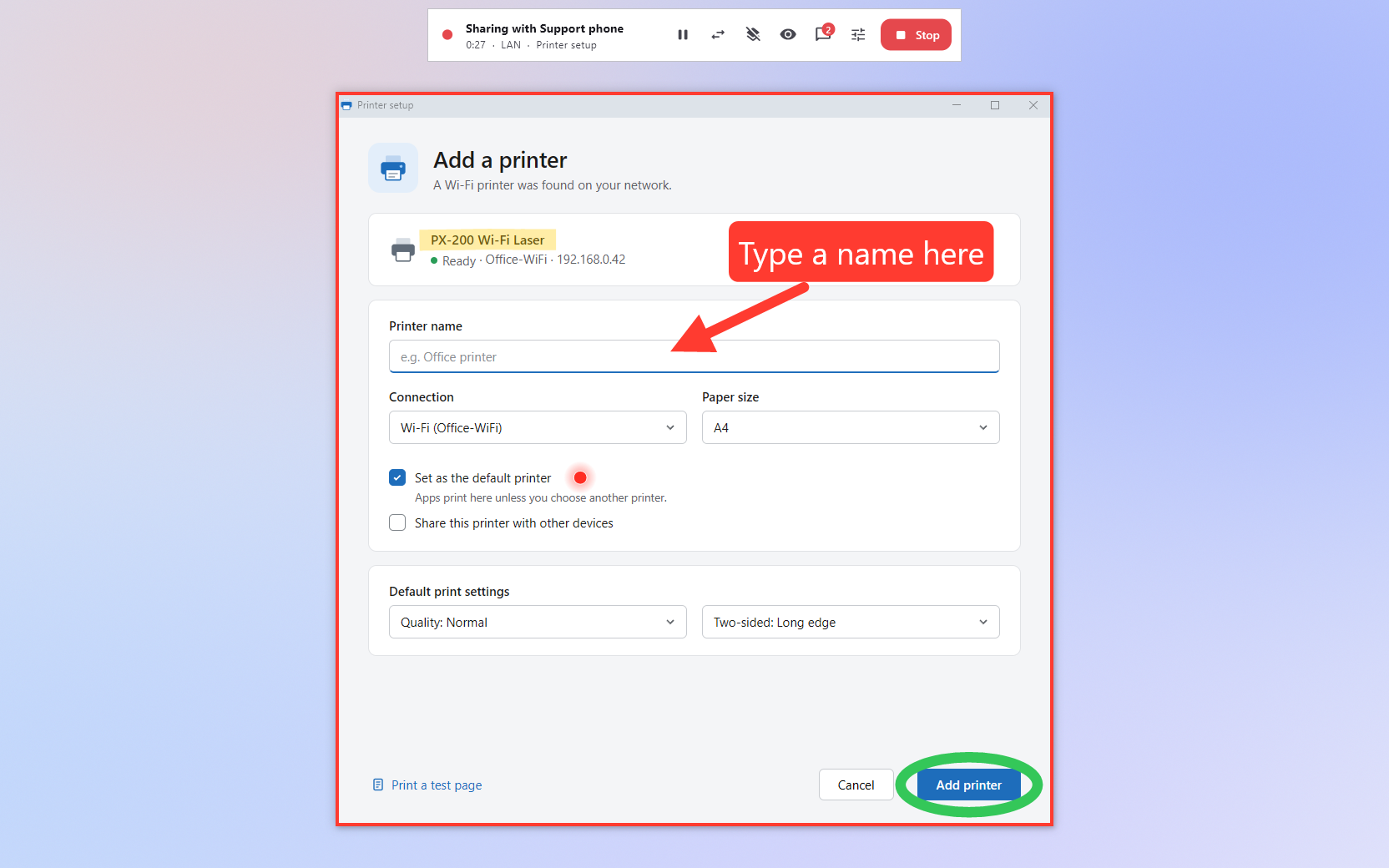
- Stop. Pause, share something else, clear the drawings or stop at any time from the session bar.
Features
Windows
- Share the entire screen or one window, on any of your monitors. In window mode only that window's pixels are sent, even when other windows cover it, and sharing follows the window when you move or resize it.
- You decide every time: each request shows the name the helper typed (Shoof can't verify it), their device and how they connect, and nothing is selected for you.
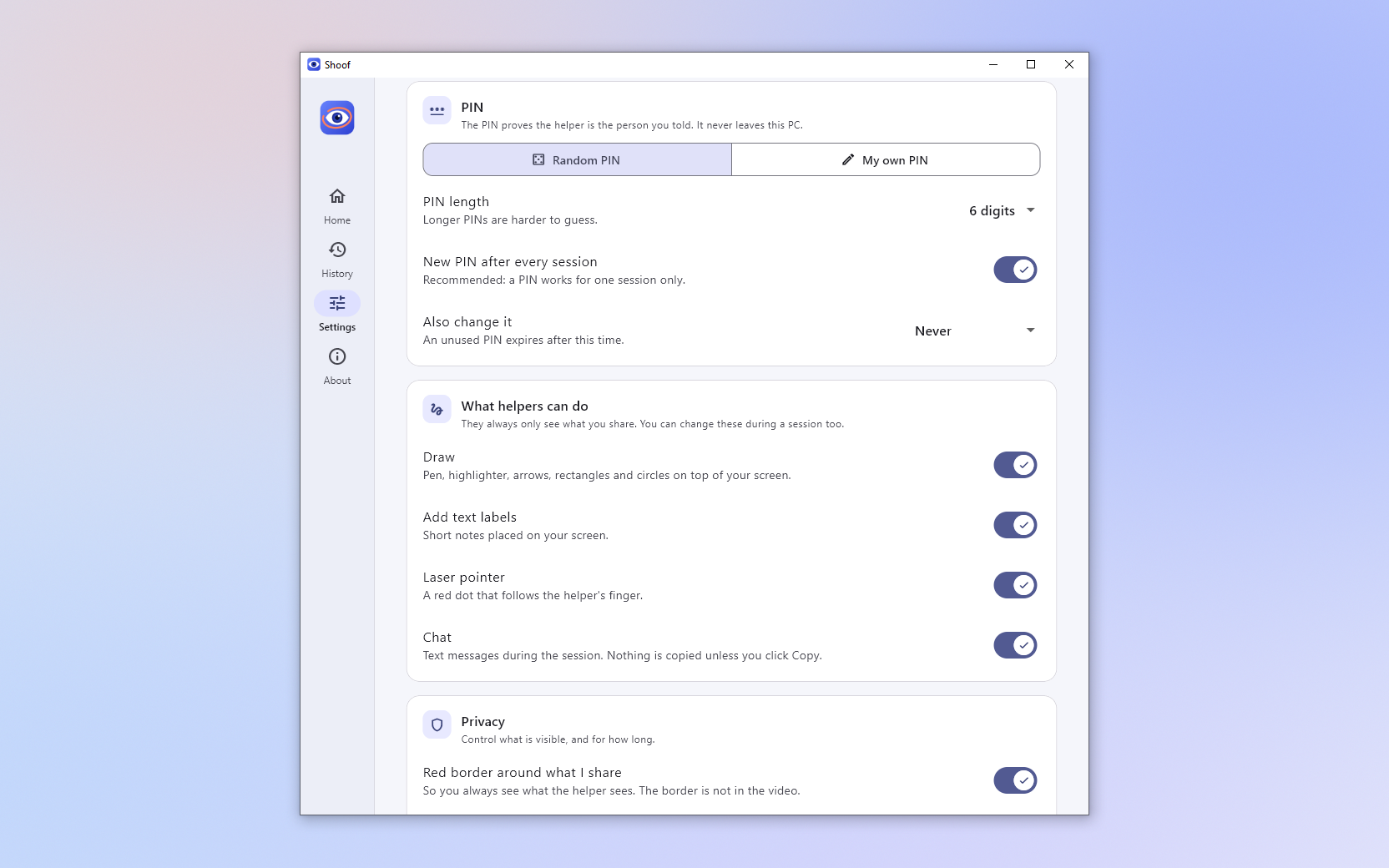
- The session bar stays on top while you share: pause (the helper sees black), share something else, clear or hide the drawings, chat, choose what the helper may do, and stop.
- The helper's drawings on your screen: pen, highlighter, arrow, rectangle, ellipse, text labels (Arabic too), a laser pointer and vanishing ink, on a layer that your clicks go through. A red border, visible only on your PC, marks what you share.
- Kept out of the picture: Shoof's own windows, the drawings and the border stay out of the shared video (on Windows 10 version 2004 or later).
- PIN protection: a new random PIN after every session. After 3 wrong PINs a random PIN is replaced, and after 5 within 10 minutes new requests are blocked for a while, from 60 seconds doubling up to an hour.
- Chat: the helper's messages reach your clipboard only when you click Copy.
- History of requests, sessions and wrong-PIN lockouts, kept on your PC and never uploaded. A shared window is remembered by its program only, never by its title.
- Start with Windows: Shoof waits in the notification area until a helper asks.
- Installer or portable: a per-user installer that needs no administrator rights, or a zip that runs from any folder.
- English and Arabic, with the Arabic interface laid out right to left.
Android
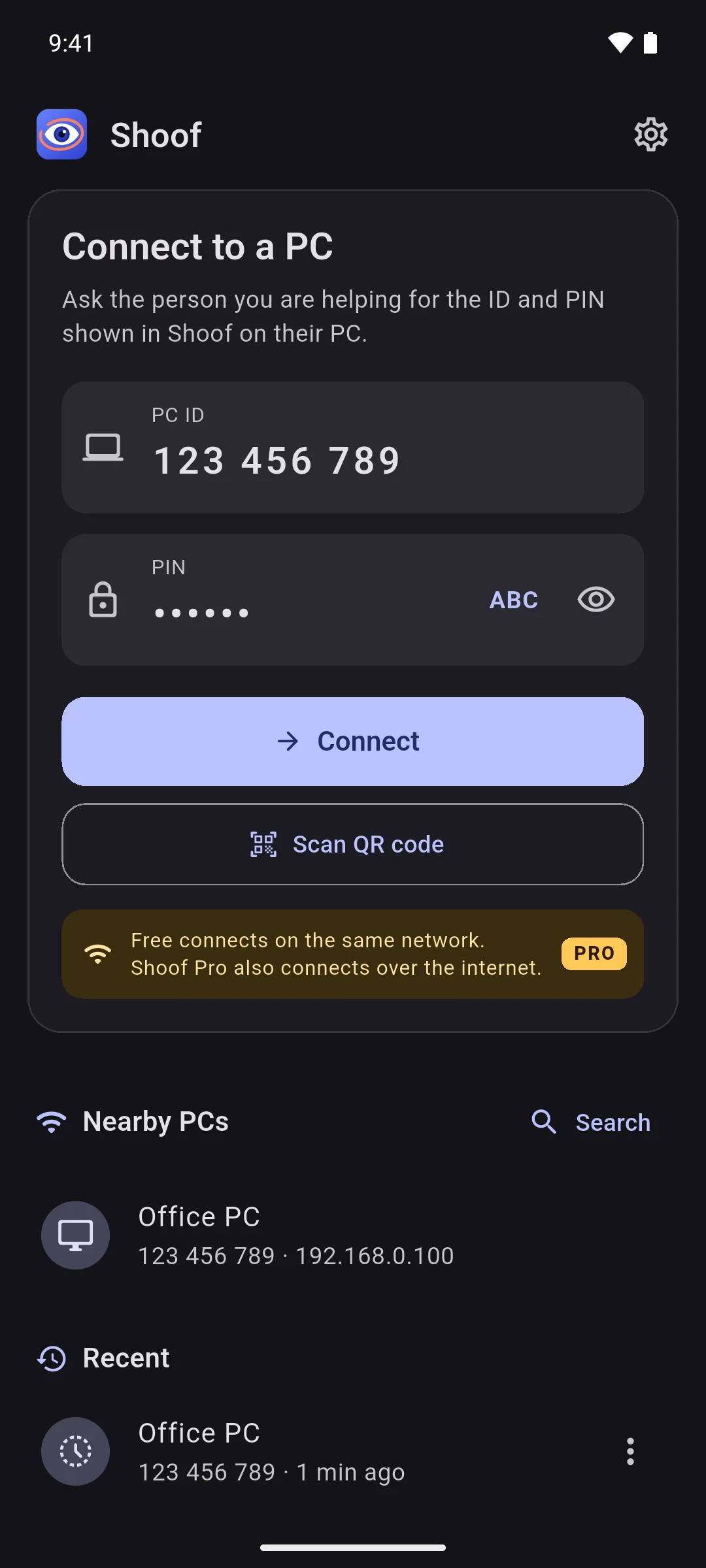
- Connect with the PC's ID and PIN, find PCs on the same Wi-Fi under Nearby PCs, pick one of your Recent PCs, or scan the PC's QR code.
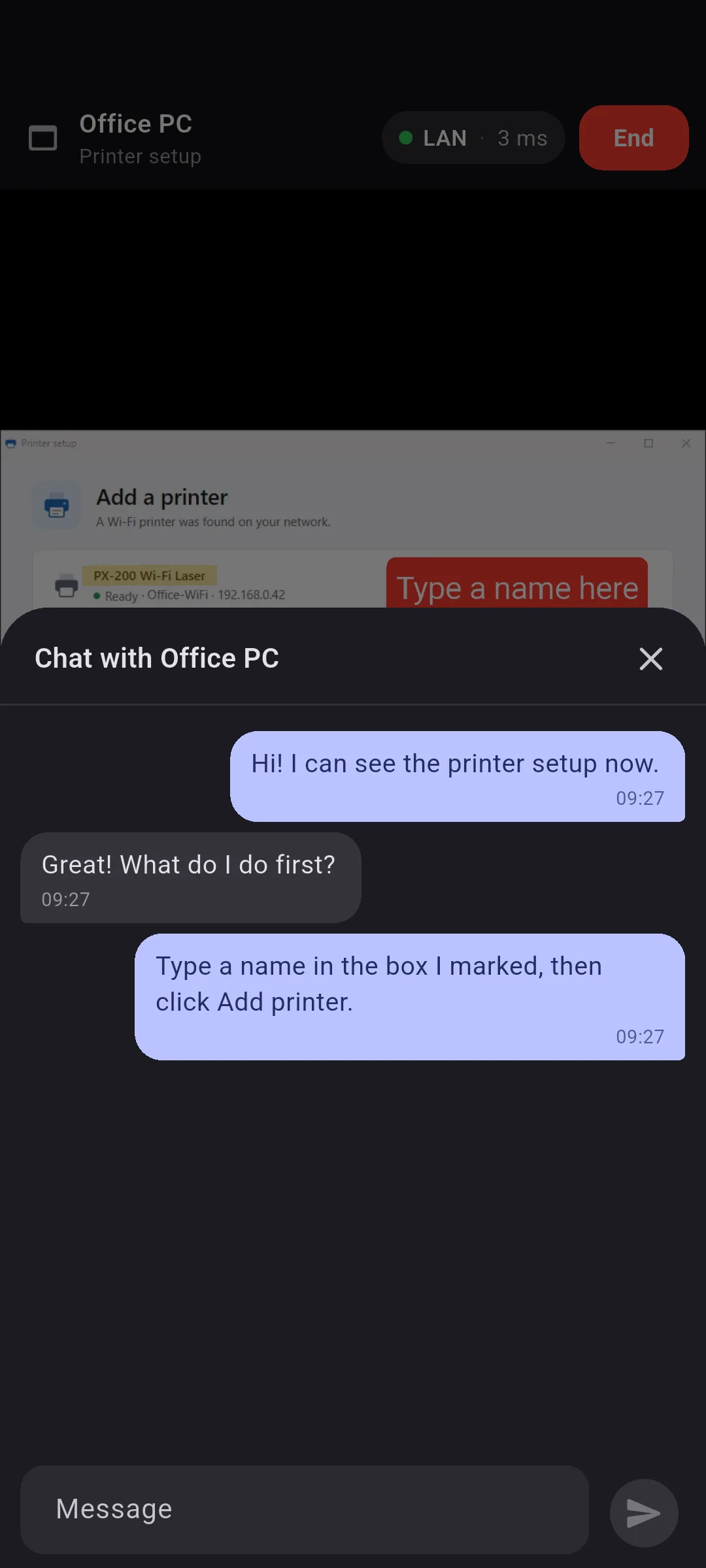
- A live view of the shared screen or window: pinch to zoom up to 8× and move around with two fingers; one finger draws.
- Tools: pen, highlighter, arrow, rectangle, ellipse, text and laser pointer, with 8 colours and 3 widths, vanishing ink (3 or 10 seconds), undo and clear. Lines look as thick on the PC as they do on your phone.
- Chat with the person at the PC.
- Connection info: LAN, Direct or Relayed (TURN), with the round-trip time.
- Reconnects by itself after you switch to another app or the network briefly drops.
- Light and dark, following your phone's setting.
- English and Arabic, with the Arabic interface laid out right to left; the PC's screen is never mirrored.
Shoof for Windows runs on Windows 10 or later (64-bit). The phone app needs Android 7.0 or later; there is one APK for 64-bit phones and one for older 32-bit phones.
Free and Pro
| Feature | Free | Shoof Pro |
|---|---|---|
| Connecting | On the same network (Wi-Fi or LAN): ID and PIN, nearby PCs, QR code | Also over the internet, through the Shoof relay or an MQTT broker |
| Tools | Every tool: drawing, laser pointer, text labels and chat | The same |
| Account | Not needed | No sign-in in the app, just a license key |
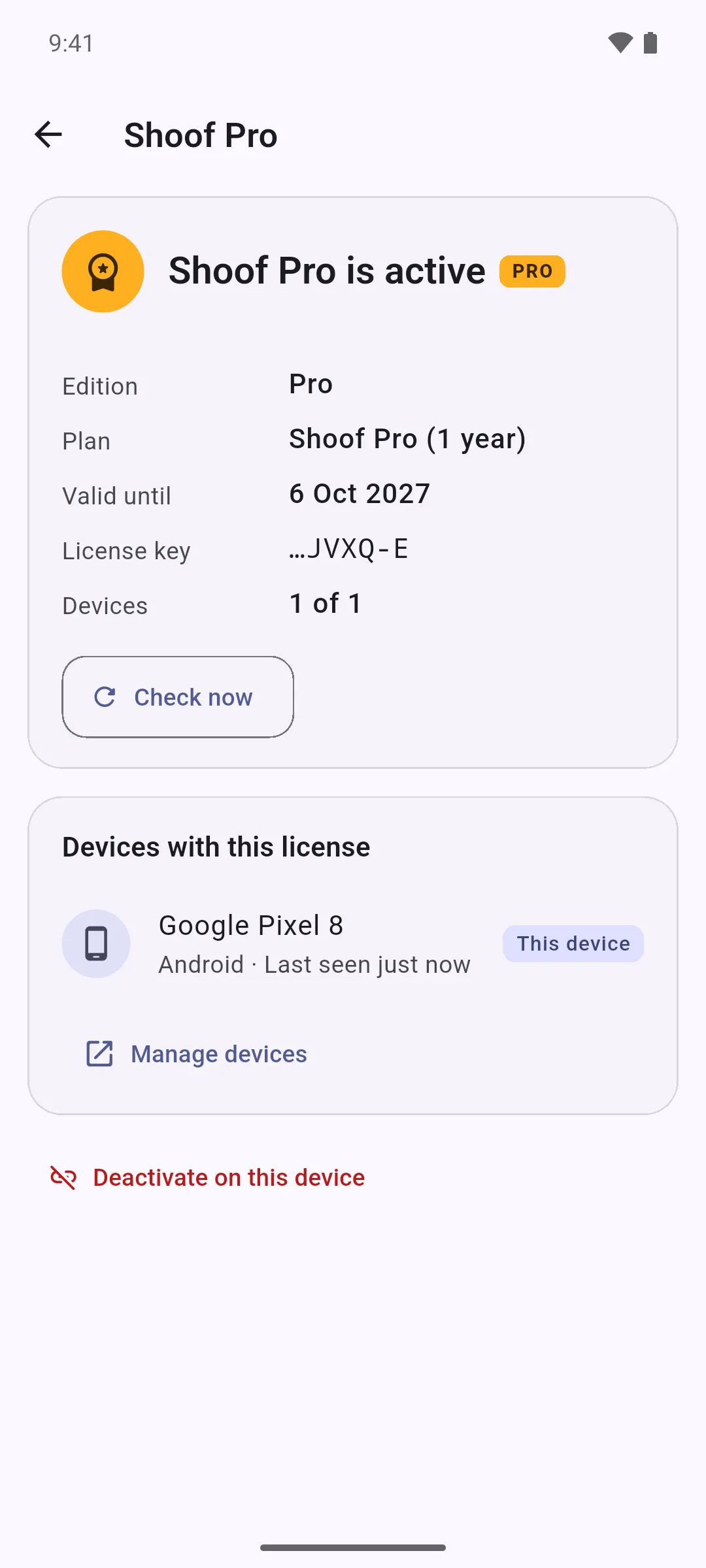
Shoof Pro is a license for the phone app. Shoof for Windows is always free and needs no license: it works the same with every phone. Already have a key? Enter it in the phone app under Settings › Shoof Pro. To manage your devices, sign in on 0d.ae with your e-mail.
Privacy
- End-to-end encrypted. The PIN is never sent over the network: with SPAKE2 the phone and the PC prove to each other that they know it, and derive the encryption keys from it. The video and the drawings go straight from one device to the other, encrypted with DTLS (DTLS-SRTP for the video), or through a TURN server that cannot decrypt them.
- Servers can't read your session. On the same network the video and the drawings go directly between the two devices, but both apps still ask a STUN server for their own address: by default Shoof's own (turn.0d.ae), plus any that the relay lists while it is on for the PC. Over the internet, the Shoof relay passes along encrypted connection messages: each is deleted once delivered, and undelivered ones expire after about 2 minutes. When no direct path works, as is common on mobile data, the encrypted video goes through Shoof's own TURN server (turn.0d.ae). These servers see IP addresses, and the TURN server also the amount of data, but never what you share.
- What the relay keeps. While the PC's relay is on (the default), Shoof for Windows asks it for TURN credentials for every session, even on the same network, and reports content-free events such as "session ended" to it unless you turn this off. The relay keeps these events for 30 days, and each PC's ID, name, Shoof and Windows versions and last IP address until we delete them on request.
- Shoof stores nothing of your screen. It records nothing, and the history on your PC keeps neither window titles nor chat messages. The helper's phone can still take screenshots, as it can of any app, so share only with someone you trust.
- No account and no ads. Shoof has no analytics or tracking of its own; the privacy policy lists every service involved.
- The license check (Shoof Pro, phone app only): activation sends the license key, the phone's public device key and its fingerprint (a one-way hash), the phone model, and the Android and Shoof versions. The daily check sends only the license token and a signature. No license request sends anything about your sessions, PCs, screens, drawings, chat, IDs or PINs to the 0d.ae license server.
Verify your download
Get-FileHash .\Shoof-Setup-1.1.0.exe -Algorithm SHA256
The result must equal the SHA-256 shown next to the download. For Shoof-Setup-1.1.0.exe it is:
1b8897d9df664fd7e81bdaadf0f5f90c0049b7d727995407b1f7088e836f4063
Get-FileHash prints it in capital letters. Shoof isn't code-signed yet, so Windows may show "Windows protected your PC" the first time: if the hash matches, click More info, then Run anyway. To update Shoof for Windows, run the new Setup: it closes Shoof first and keeps your settings, ID and history. When you install the APK on your phone, Android asks you to allow installs from your browser or file manager.