
Overview
Overview
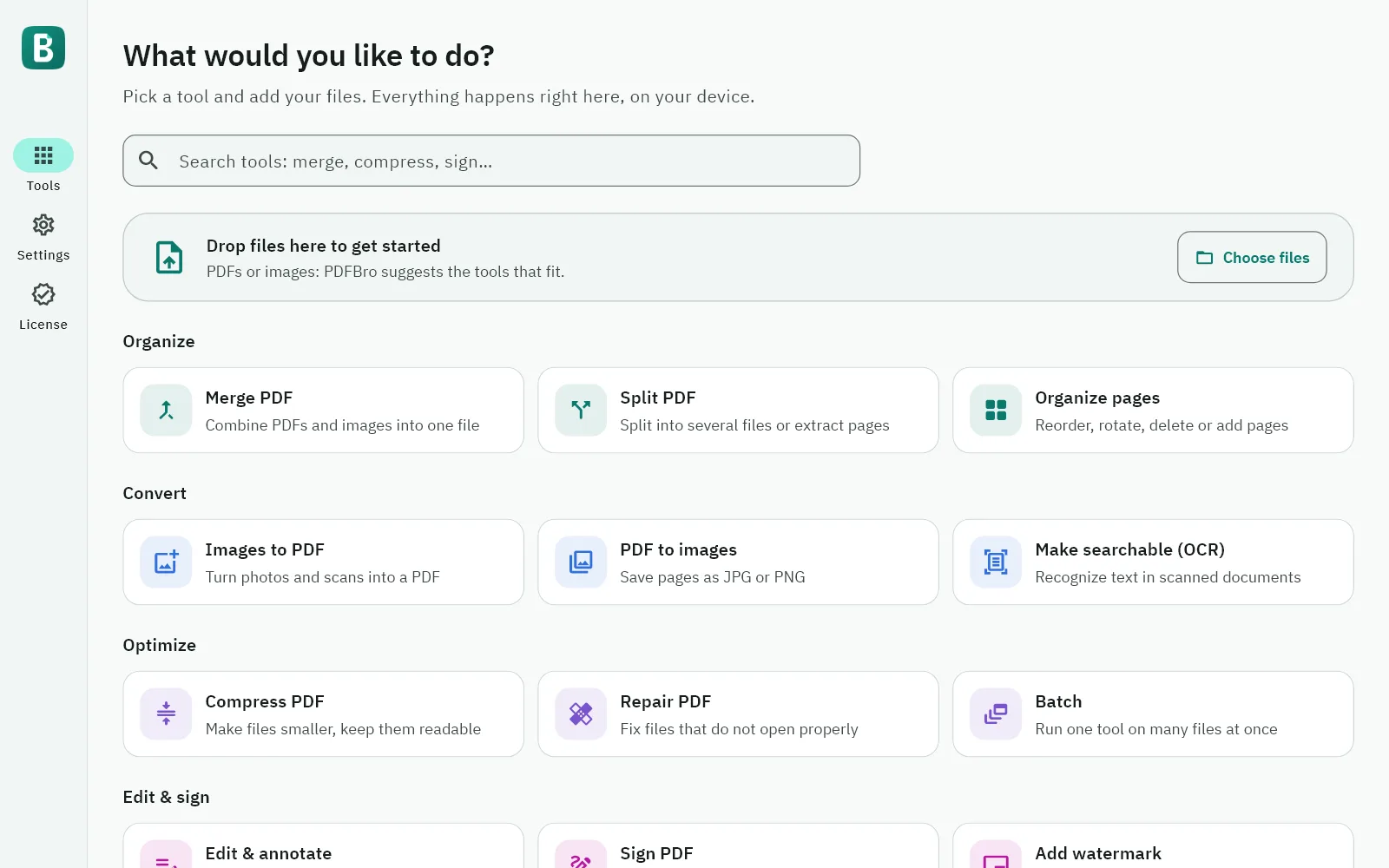
PDFBro brings the everyday PDF jobs together in one calm app: merge and split files, put pages in order, turn photos into PDFs and pages into images, make scanned documents searchable, compress, repair, protect and unlock files, remove hidden details, and add text, highlights, signatures and watermarks. Every tool works the same way: add your files, check the options, press one button. Each result is a new file, so your original stays as it was.
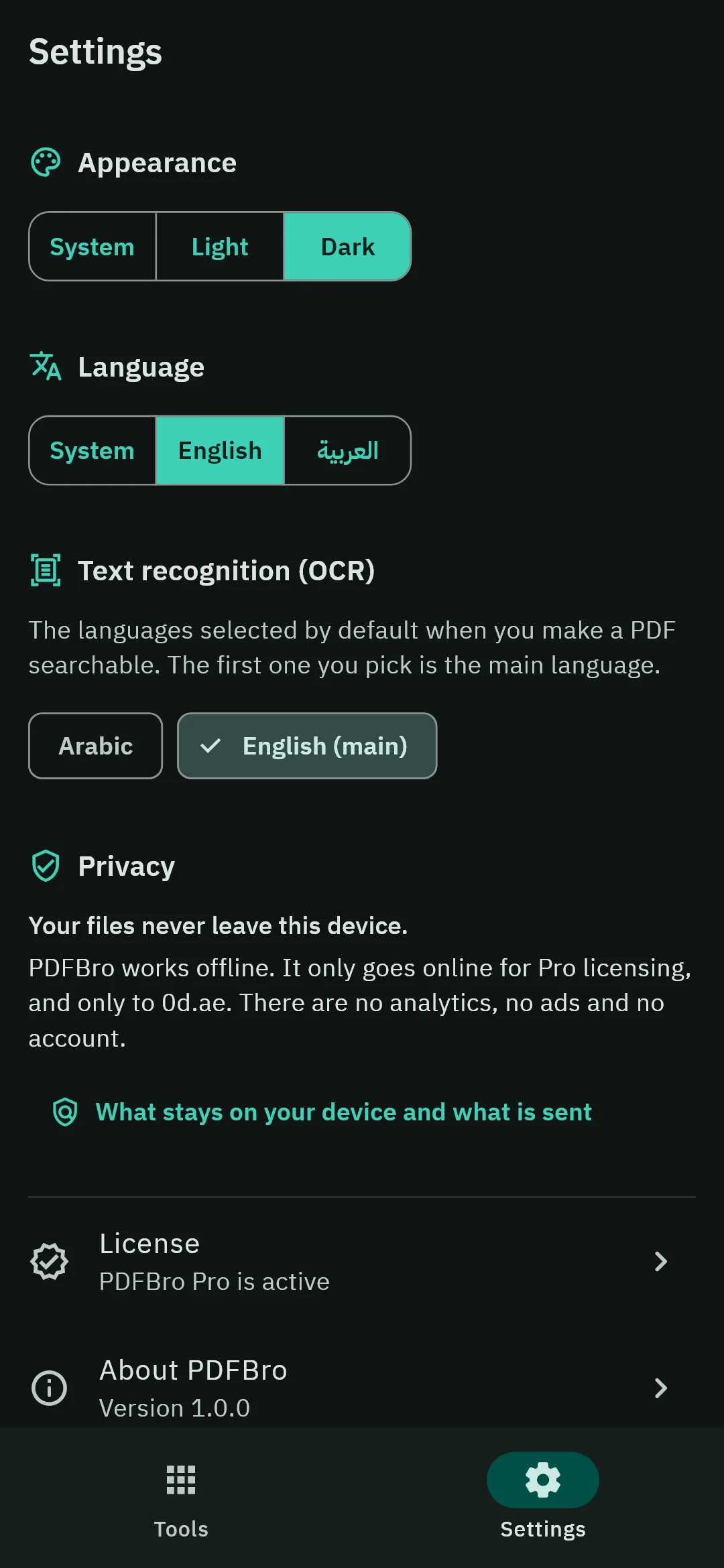
Everything happens on your device. Your files are never uploaded, there is no account, and every tool works offline. PDFBro goes online only for Pro licensing, and only to 0d.ae.
PDFBro is free, with no time limit. PDFBro Pro removes the Free limits and adds signatures, watermarks, stronger compression and advanced editing.
Features
Organize
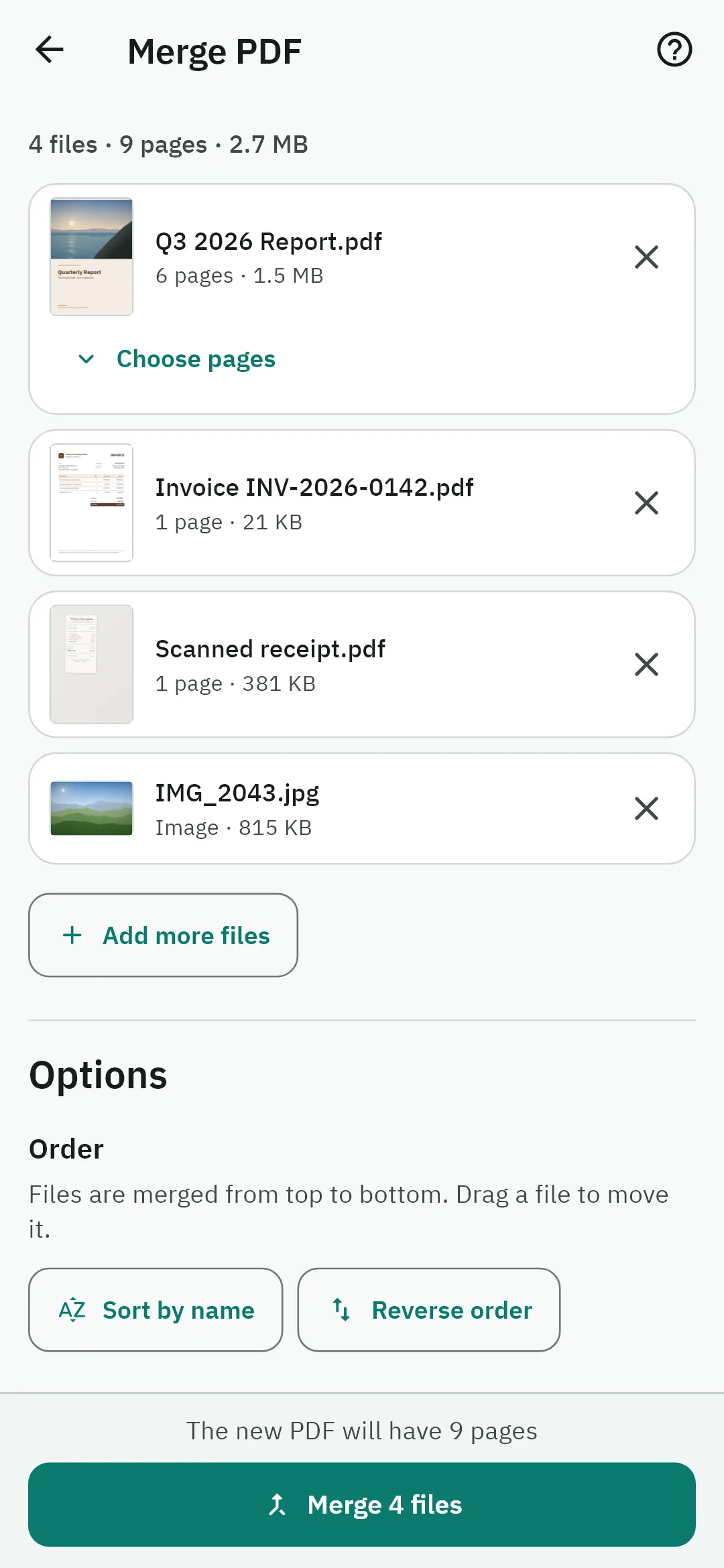
- Merge PDF: combine PDFs and images into one file, in the order you choose, with the pages you choose from each PDF.
- Split PDF: every page, every few pages, your own ranges, or chosen pages extracted into one file. You see how many files you will get before you start.
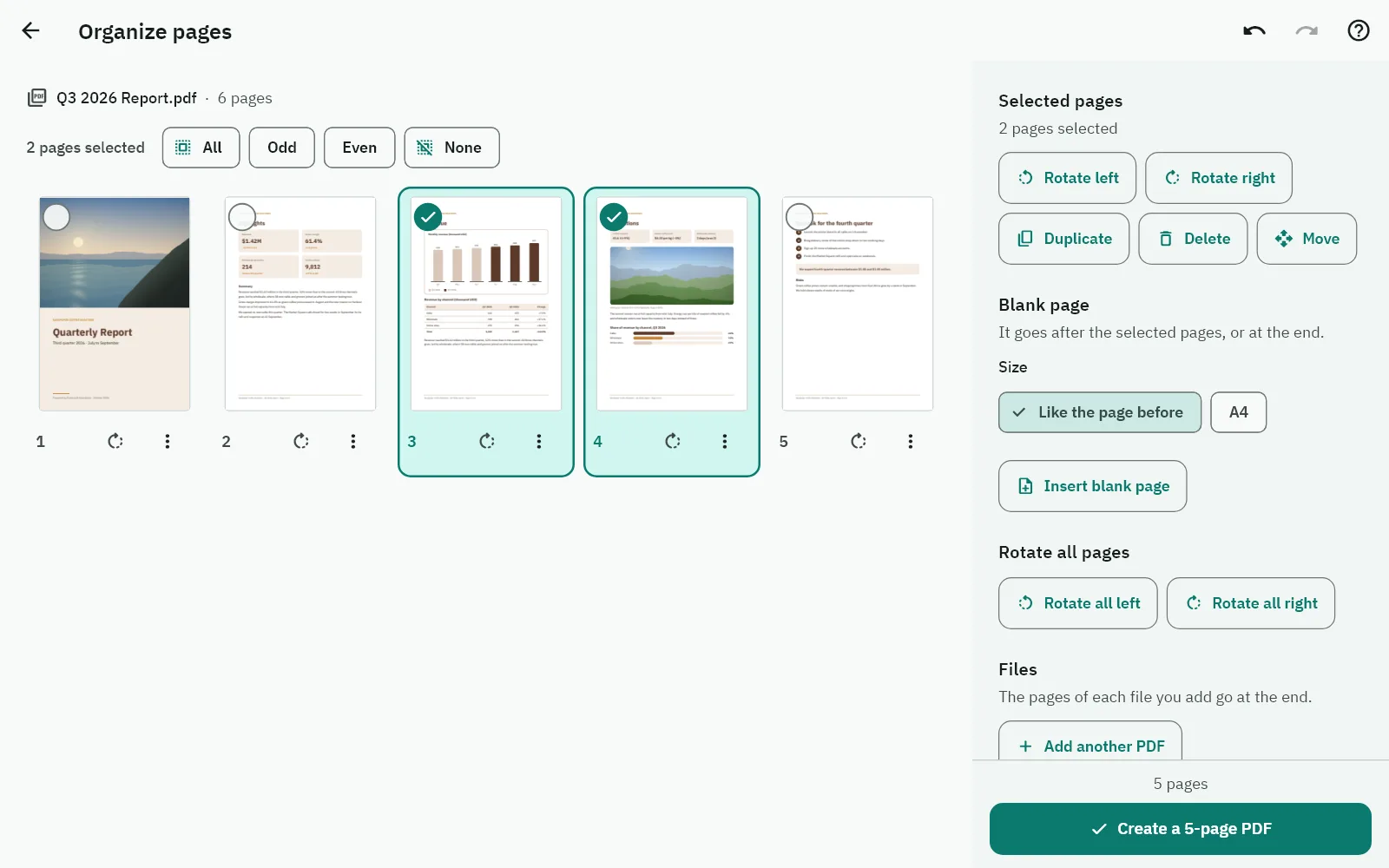
- Organize pages: drag pages into order, rotate, duplicate or delete them, insert blank pages or add another PDF, and undo any step.
Convert
- Images to PDF: photos and scans (JPG, PNG, WebP, GIF, BMP and TIFF) become pages, with the page size, orientation and margins you choose.
- PDF to images: save pages as JPG or PNG, for the screen or for print.
- Make searchable (OCR): adds an invisible text layer to scanned pages, so you can search, select and copy the text. The pages look exactly the same. PDFBro recognizes English and Arabic on Windows and Android, and uses Apple's own text recognition on iPhone, iPad and Mac.
Optimize
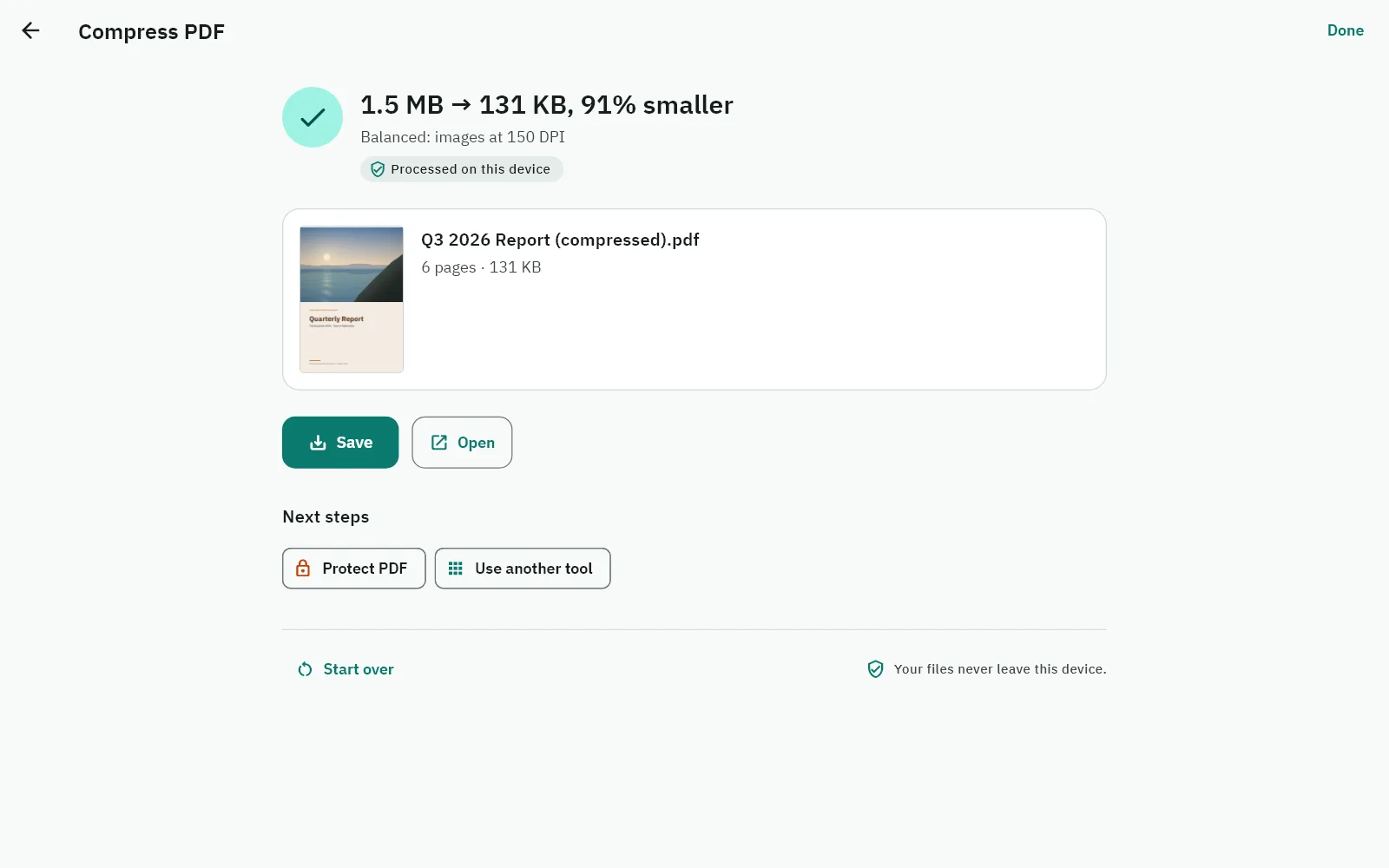
- Compress PDF: Best quality, Balanced, Smallest or Custom. Text stays sharp, and if a file cannot be made smaller, your original is kept.
- Repair PDF: rebuilds the structure of a damaged PDF and keeps all the content that can be read.
- Batch: run one tool on many files at once, or on a whole folder on a computer, with a result for each file.
Edit & sign
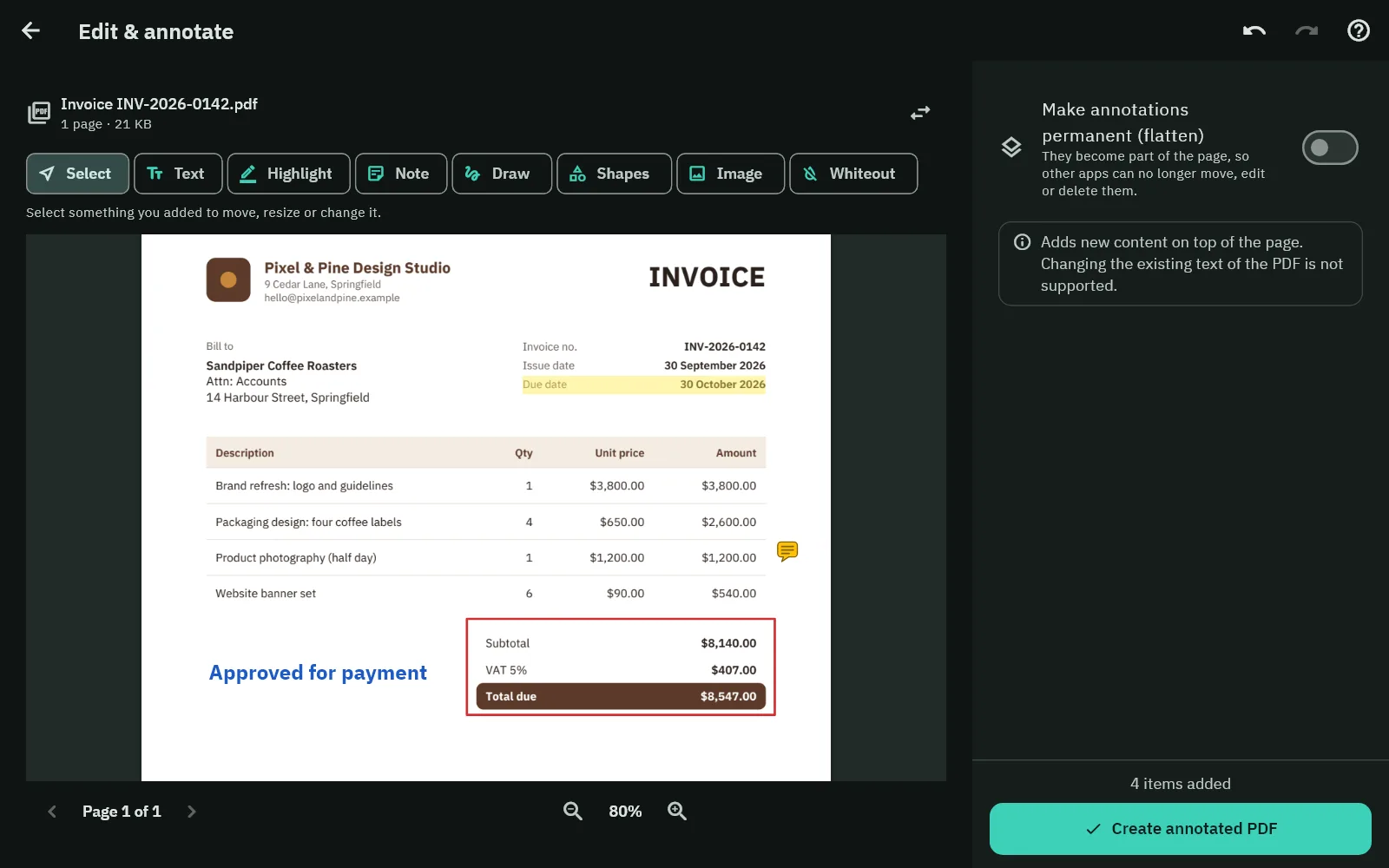
- Edit & annotate: text boxes, highlights, underline and strike-out, notes, drawings, shapes, images and whiteout. This adds new content; changing the existing text of a PDF is not supported, and a whiteout only covers content: the text underneath stays in the file.
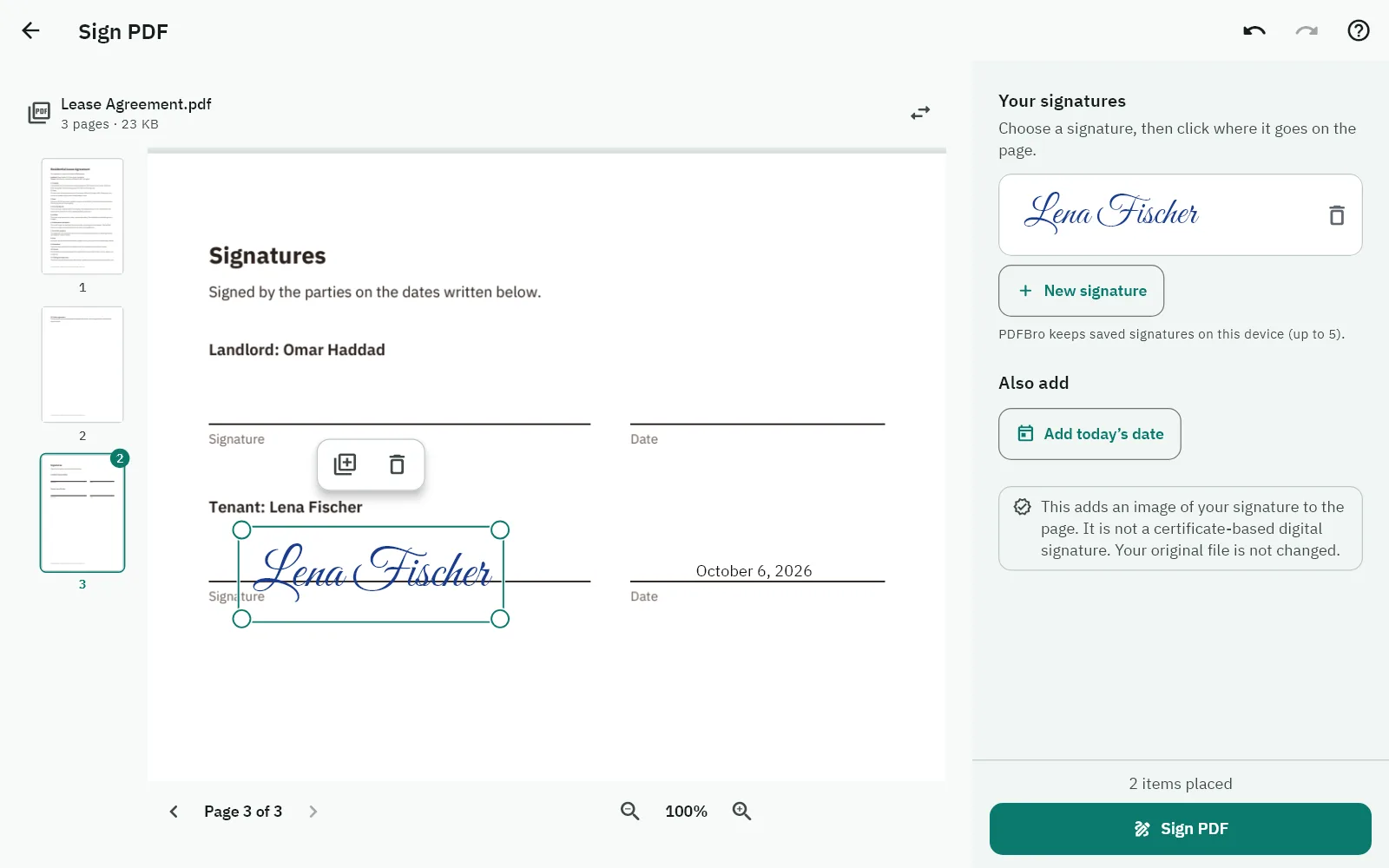
- Sign PDF: draw or type your signature, or use an image of it, then place it on the page and add the date. This places an image of your signature; it is not a certificate-based digital signature. PDFBro keeps up to five signatures on your device for next time.
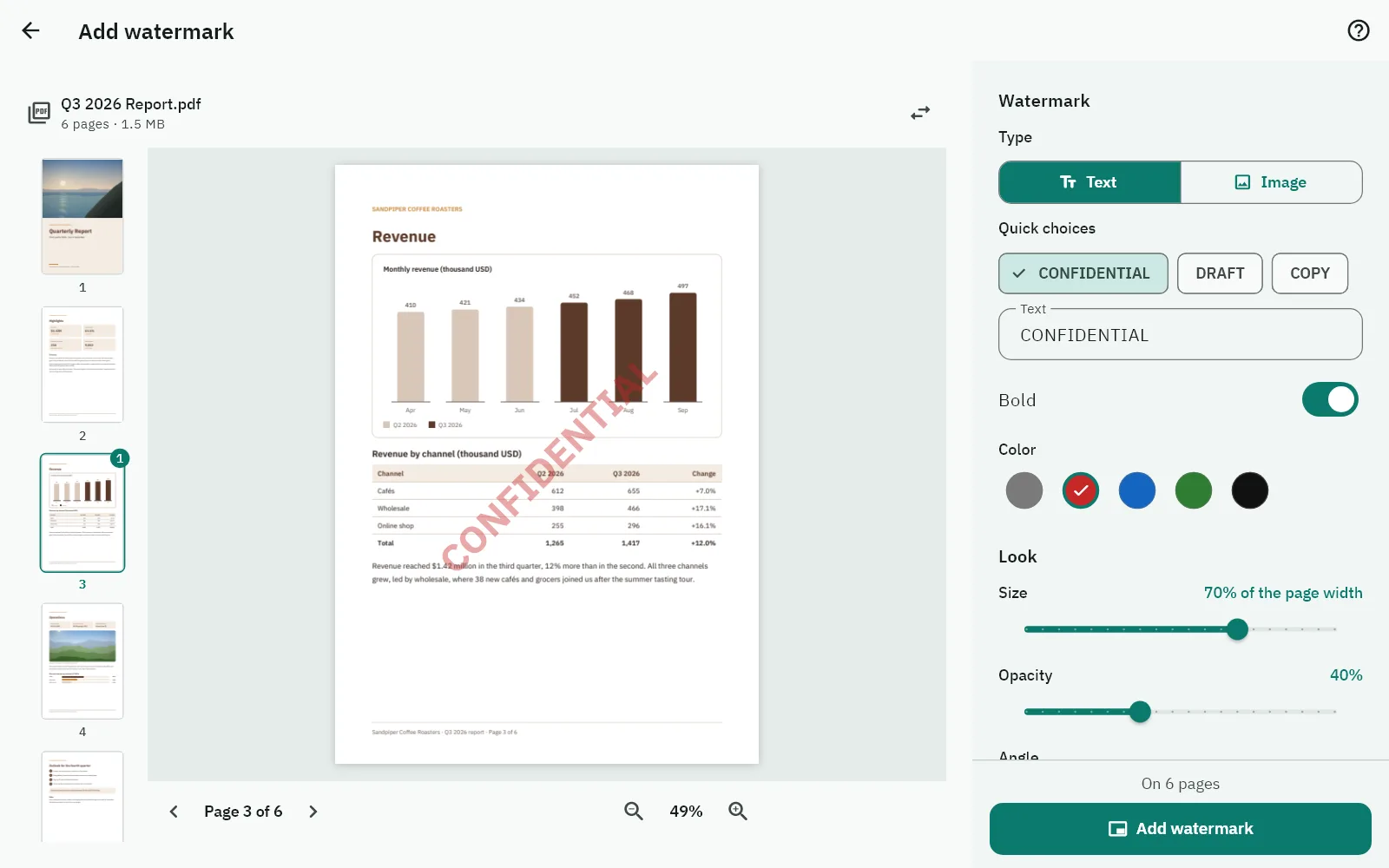
- Add watermark: stamp text such as CONFIDENTIAL, or a logo, with the size, angle, opacity and position you choose, on top of the page or blended into it. The preview shows the real result.
Security & privacy
- Protect PDF: a password to open the file, with strong encryption (AES-256), and optional limits on printing, copying or editing. Standard PDF apps respect those limits, but not every app does.
- Unlock PDF: remove a password you know. Unlocking is always free.
- Remove hidden info: see what a PDF carries (author, dates, the app that made it, XMP metadata, attachments) and remove what you choose.
On a computer, drop files anywhere in PDFBro; on a phone, share files to PDFBro from other apps. PDFBro speaks English and Arabic, with a complete right-to-left layout in Arabic, and comes in Light and Dark.
Free and Pro
| Free | Pro | |
|---|---|---|
| Text recognition (OCR) | Up to 10 pages per run | No page limit |
| Batch | Up to 3 files per batch | Any number of files |
| Compression | Best quality and Balanced | Also Smallest and Custom (image resolution, quality, grayscale) |
| Edit & annotate | Text boxes, highlights, underline, strike-out and notes | Also styled text, drawing, shapes, images and whiteout |
| Sign PDF | Not included | Draw or type your signature, or use an image of it |
| Add watermark | Not included | Text or a logo, with a live preview |
| Every other tool | Merge, split, organize pages, images to PDF, PDF to images, repair (several files at once: up to 3 per batch), protect, unlock and remove hidden info | The same |
Free needs no account and has no time limit. Pro comes from 0d.ae. Already have a key? Enter it in PDFBro: License in the side bar on a computer, or the license button at the top of the Tools screen on a phone.
Privacy
- Your documents are processed on your device and are never uploaded: not to 0d.ae, not to anyone.
- No account, no ads, no analytics, no telemetry and no crash reports. PDFBro does not look for updates by itself.
- PDFBro goes online only for Pro licensing, and only to 0d.ae: when you activate a key, once a day while a license is activated on your device (also after it expired, so that a renewal is noticed), and when you look at or change your license on the License screen. Without an activated license it makes no network requests at all, except loading prices when you open the Upgrade screen.
Verify your download
Each download is listed with its SHA-256 checksum. To check a file on Windows, run in PowerShell:
Get-FileHash .\PDFBro-1.0.0-windows-x64.exe -Algorithm SHA256
On a Mac, run in Terminal:
shasum -a 256 PDFBro-1.0.0-macos-universal.dmg
The result should equal the SHA-256 shown next to the download.